Corridor Modeling for Subdivision Road Design in Civil 3D
Learn how to build subdivision corridors that update cleanly through design revisions.
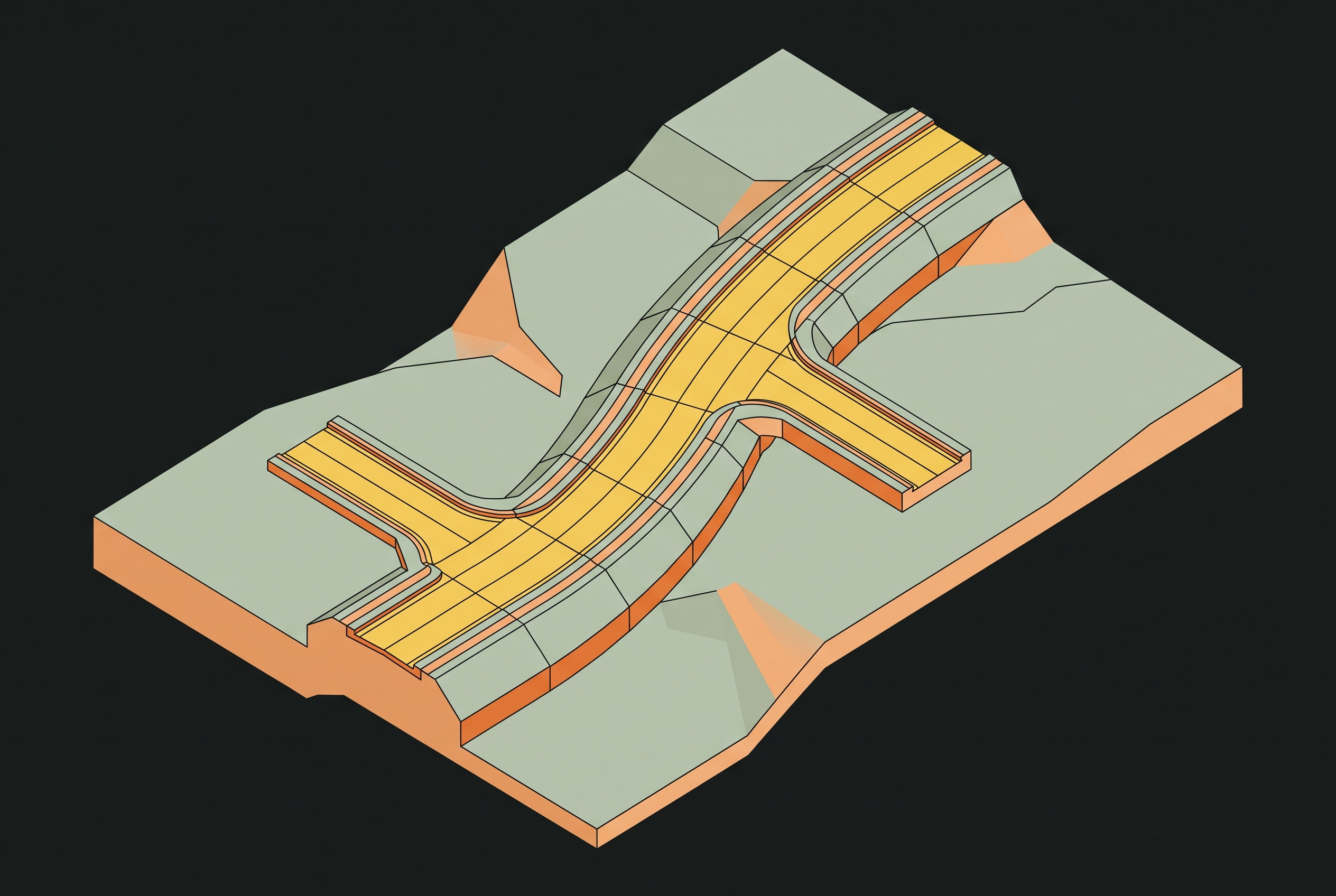
Corridor modeling for subdivision road design in Civil 3D depends on a connected sequence of alignment, profile, assembly, corridor build, and surface extraction. Understanding those dependencies is what separates a model that updates cleanly from one that breaks under revision. In a subdivision, that distinction affects not only the roads but also the driveways, lot grading, and drainage relationships built around them.
What corridor modeling is and why it works the way it does in Civil 3D
A Civil 3D corridor is a dynamic, parametric object built from three inputs, namely an alignment, a profile, and an assembly. The alignment defines the horizontal path, the profile defines the vertical design, and the assembly defines the cross-section. Civil 3D sweeps that assembly along the alignment and profile, giving the road its lanes, curbs, sidewalks, and grading at each station. The resulting model is therefore a dynamic relationship between design inputs.
That relationship allows corridor surfaces, sampled cross-sections, and material quantities to regenerate when the inputs change. A profile revision can carry through to surfaces, daylighting, and quantities without each output being reconstructed separately. However, regeneration does not distinguish a sound design input from a flawed one. The same parametric logic that carries a correct change through the model also propagates an upstream error into its deliverables.
Why subdivision road design stresses the standard corridor workflow in ways highway design does not
A highway can use a single continuous alignment, but subdivision roads form a network of short, connected segments. Each intersection brings grades, curbs, and transitions together, so each road must work both on its own and at its connections. Curb-and-gutter sections add cross-sectional detail, while cul-de-sacs introduce geometry that a standard single-baseline corridor cannot handle cleanly without additional work. Driveways across dozens or hundreds of lots then multiply the number of connections to the road.
These connections also extend beyond the road network. Lot grading depends on corridor surfaces because finished floor elevations and drainage flow paths are tied to the road design. An error in a road surface can then spread beyond the corridor to the lots next to it. Subdivision complexity is not simply a matter of having more road segments to model. It makes the order of operations, and the decisions made at each stage, the central design skill.
Building the alignment and profile as a connected pair, not two separate tasks
The first task is to establish clean, continuous alignment geometry. Tangent segments must be truly tangent, and curves must be properly defined, even when they look connected on screen. Civil 3D's precision or rounding settings can leave intended connections infinitesimally apart, including at cul-de-sac endpoints, creating defects that appear later in the corridor. Attaching an assembly cannot correct a flawed horizontal path.
The vertical design begins with a correct existing-ground surface because the surface profile samples that ground along the alignment. The design profile is then developed against the surface profile, making the quality of the ground model an input to profile design. Each subdivision road segment has its own alignment and profile pair, but its grades must meet those of the roads it joins. Accounting for intersection geometry during profile design is easier to manage than reconciling incompatible grades after corridor creation.
Autodesk's corridor tutorial establishes the alignment, profile, and assembly as the inputs that create the 3D representation. The horizontal and vertical design must both be in place before the corridor is built. Their relationship also remains active after that point, since dynamically tied profiles update when alignments change. Treating a profile as a completed, independent task breaks that design logic and creates rework when the horizontal layout changes.
Assembly design for curb-and-gutter subdivision sections, and why modular beats monolithic
With the alignment and profile established, the assembly defines how the road section occupies that path. A typical subdivision assembly includes travel lanes, curb and gutter, sidewalk, and a grading subassembly that daylights to the existing-ground surface. Each component needs its parameters and targets set before the corridor is built. Those targets are the surfaces, alignments, or profiles that control the dimensions and how the grading behaves.
Separate assemblies for cut, fill, and transition conditions give each corridor region the section it needs, so one monolithic template does not have to cover every condition. When conditions change along the road, the region can receive the appropriate assembly without making the entire template more complicated. This upfront work reduces the problems that otherwise emerge during revision. It also determines the geometry available for surface extraction, so assembly discipline has a direct effect on downstream surface quality.
Building the corridor and handling the geometry problems specific to cul-de-sacs and knuckles
The corridor is built by bringing the prepared inputs together through baselines, regions, and assembly assignments. In a subdivision, multiple baselines and regions divide the connected road geometry into manageable conditions. Straight tangents, curves, cul-de-sacs, and transitions can each receive the assembly their geometry requires. If those inputs are wrong, corridor creation exposes the unresolved defect.
The cul-de-sac trap begins where the center point of the curbline radius is intended to match the endpoint of the centerline alignment. Precision or rounding can leave those points infinitesimally apart, even when they appear coincident. The intended tangent connection is then not truly tangent, and the corridor surface can develop a void or break at that station. Because the defect appears in the built surface, it can be mistaken for a surface-generation problem.
Adding a short floating tangent to the centerline alignment at the cul-de-sac end establishes true tangency and prevents that failure. This is an alignment-stage decision with a corridor-stage consequence. For complex cul-de-sacs and knuckles, feature lines offer another supported approach because they can serve as corridor baselines. They avoid the overhead of maintaining both alignment geometry and separate profiles where that pair adds no design benefit. The choice is therefore about how best to control the local geometry within the corridor model.
Intersections require a further change in approach because a simple swept assembly does not resolve the joining roads. Civil 3D has the Intersection Wizard to build intersection corridors automatically from existing alignments and profiles. Manual multiple-baseline corridors offer more flexibility for complex or non-standard geometry. Native baselines and region edits can build these forms, but the dedicated tools help with the extra work those methods need.
Handling driveways at scale without creating a separate corridor region for every lot
Once the road network is built, driveway treatment becomes a problem of scale. A separate corridor region for every driveway is technically possible, but the maintenance burden becomes impractical across a large subdivision. The workable alternative is a hybrid model that keeps the main roads in a single corridor or a small number of coordinated corridors. Lot connections then use either a simple driveway subassembly targeting the lot grading surface or separate feature lines defining the driveway geometry.
Feature lines allow changes to side slopes, grade breaks, and non-standard widths without putting those changes into the main corridor template. This separation keeps local driveway detail from multiplying road corridor regions. It does not, however, remove the grading dependency between the road and the lot. Driveway grades must link the road corridor surface to the lot pad elevations. Reliable completion of lot grading therefore requires the corridor surface to be extracted and finalized, or at least stabilized.
Extracting corridor surfaces and why surface boundaries and frequency settings determine output quality
Surface extraction turns corridor geometry into surfaces for use in grading, quantities, and documentation. Civil 3D generates top-of-pavement, subgrade, and finished-grade surfaces dynamically, allowing them to update with the corridor. A dynamic surface's accuracy depends on the assembly geometry and the boundary and station-frequency settings used to represent it.
Surface boundaries prevent the TIN from extrapolating beyond the corridor limits. Without those boundaries, triangulation can cross gaps and produce erroneous elevations outside the road prism. Frequency controls a different part of the result by determining how closely the surface represents changes along the corridor. Coarse station spacing can produce a faceted surface that misrepresents a cul-de-sac bowl or curve transition. Excessively fine spacing on tangent sections increases file size and rebuild time without an additional accuracy benefit.
These settings affect more than the appearance of the road surface. Sample lines at regular intervals or critical stations give cross-sections for use in material quantity calculations and construction documentation. Their accuracy depends on how good the surface is when it is extracted. The lot grading surface also depends on the road corridor surface, so a defect can spread sideways into adjacent grading as well as downstream into deliverables.
How the dynamic update chain works during revision, and where it breaks
An alignment change regenerates the corridor along the new path, while a profile change carries through to surfaces and cross-sections. Clean geometry and correctly assigned assembly targets allow those changes to pass predictably through the model. The benefit is that Civil 3D rebuilds automatically and the rebuilt outputs remain governed by coherent design relationships.
A profile revision that changes a fill condition into a cut condition shows where that chain can fail. If the assigned assembly has no cut subassembly defined, the region can silently produce no output. The resulting void is a silent failure, even though the corridor has undergone its update. Modular cut, fill, and transition assemblies make the correction a targeted region reassignment within the existing model. They support reliable revision, but the region still needs the assembly appropriate to its changed grading condition.
Rebuild performance is also part of maintaining that reliability at subdivision scale. Region management and frequency settings must keep rebuild times practical as well as preserve the required geometry. A model that updates correctly but takes excessive time to rebuild creates an operational constraint during design changes. The sequence therefore governs both the integrity of the output and the effort needed to keep it current.
Where third-party tools and emerging Civil 3D automation fill the gaps the native workflow leaves open
A native Civil 3D workflow done correctly handles most subdivision road geometry, but some tasks still take a lot of work to coordinate by hand. Third-party tools add to what the workflow can do in intersection management, profile coordination, network layout, and surface output. Corridor EZ for Civil 3D is an Autodesk-approved app with an Intersection Manager, Projected and Reference Profiles, and automated surface output. With its Project Assist AI module, designers can set road spacing, connectivity, and lot-access rules to generate network proposals. This supports early-stage design alternatives within the existing Civil 3D environment.
Civil 3D 2026.2 includes 75+ new Dynamo nodes enabling automation of drainage design and analysis workflows for stormwater control objects. This extension of repetitive-task automation preserves the corridor's reliance on its design dependencies. Network proposals, drainage workflows, and surface generation address different tasks, but all remain dependent on the quality of their inputs.
For AEC firms, the durable gains come from tools that integrate with existing software and workflows on their current platform. Neither an extension nor an AI layer can compensate for disconnected alignment, profile, assembly, corridor, and surface decisions.
Notes
- Create a corridor and a surface for a 3D road model
Cited directly as establishing the alignment, profile, and assembly as the three inputs that create a 3D corridor representation.
Every new piece from Grading Bench, as it's published.
Follow