Civil 3D Pipe Network Design for Site Storm Drainage
Correct workflow sequence cuts storm drainage design time from 56 hours to 19.
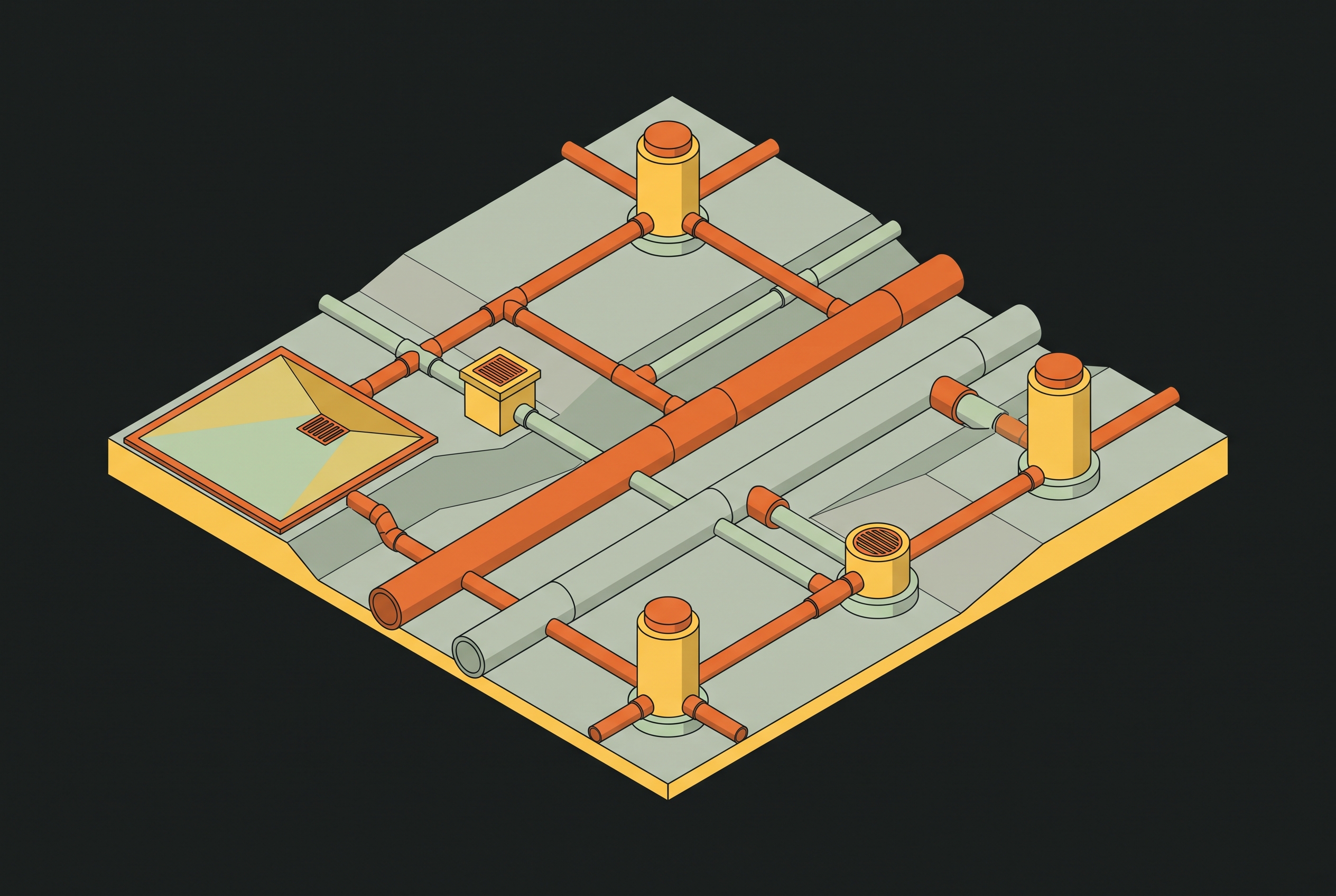
Storm drainage design in Civil 3D succeeds or fails on sequence, not on software proficiency alone. A pipe network that carries flows correctly on paper still fails review if the surface beneath it shifted after catchments were drawn. This article traces the workflow in order: surface and grading first, catchment delineation second, pipe network third, hydraulic analysis fourth, iteration and plan production last.
Why the sequence of a Civil 3D storm drainage workflow matters more than any single tool
Storm drainage design in Civil 3D is not a collection of independent tasks but a chain where each step either validates or contaminates the one that follows. The consequence is not just wasted hours. It is a deliverable that fails review or requires re-stamping, which is a liability issue, not merely an efficiency one.
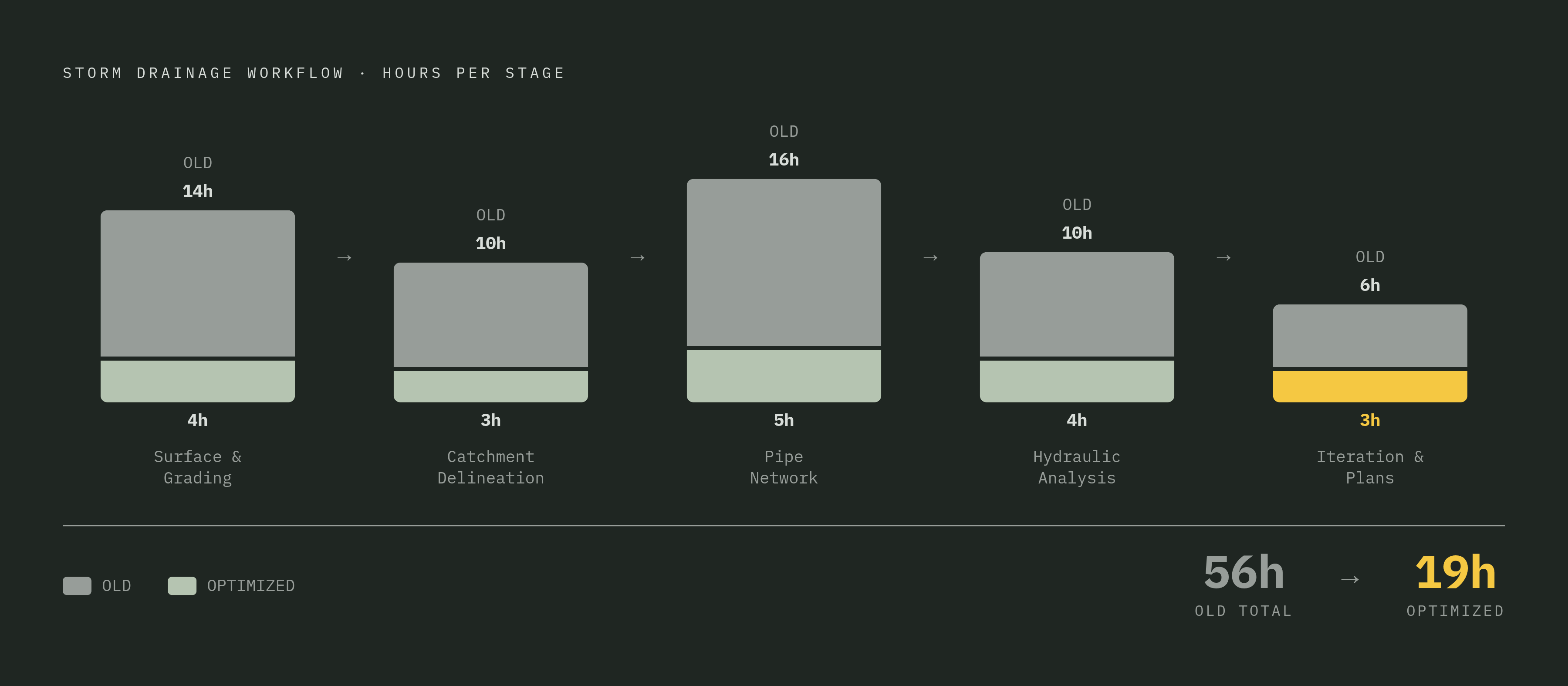
Terol Engineering notes that predictive analytics and integrated modeling flag drainage conflicts during concept design rather than during construction documents, which confirms where cost and risk are actually controlled. On a typical commercial development project, the old workflow consumed 56 hours. The same deliverable, built through the optimized sequence that follows, came in at 19. It was doing each step after the one it depends on, and not before.
Building the surface model and grading plan that all drainage design depends on
Every downstream drainage calculation in Civil 3D traces back to the accuracy of the site surface. That makes surface preparation the most consequential step in the workflow. The Civil 3D surface model, built from survey data, point clouds, or imported terrain, defines slopes, low points, and drainage divides. Errors here propagate through every catchment and pipe sizing that follows. There is no recovery mechanism later in the process that repairs a bad surface. There is only rework that starts over from the beginning.
Two surfaces are always in play: the existing ground surface and the proposed finished-grade surface. The existing surface captures what the surveyor measured. The proposed surface represents what grading will produce. Drainage design works from the proposed surface, because that is the terrain water will actually flow across. The existing surface matters for cut and fill, for construction sequencing, and for understanding where water goes before grading. Both must remain distinct and correctly referenced throughout the project.
Partial surface referencing, available in Civil 3D 2026 as described by MicroCAD, lets engineers load only the terrain area relevant to the drainage design. The grading design itself, including building pads, swales, and detention footprints, must be resolved on the surface before catchment delineation begins. A pad that shifts after catchments are drawn forces a full re-delineation, and every hour spent delineating the first time is lost. Terol Engineering observes that automated grading engines analyze topography, building pads, access roads, and stormwater flow paths simultaneously, allowing grading to be substantially settled before pipe layout starts. That settlement is the precondition for everything after it.
Before moving past the surface, four quality checks belong in the workflow. Breakline accuracy at curbs and swales must be confirmed, since these are the features that direct water. TIN triangle inspection at low points catches flat or sliver triangles that distort flow paths. And proposed and existing surfaces must be verified as correctly separated. These checks take less than an hour and prevent every downstream error from compounding.
Delineating catchment areas from the finished surface
Catchment delineation is where the surface model becomes hydrology. The boundaries drawn here determine the flow volumes every pipe and inlet must handle. Civil 3D's catchment tools trace drainage divides from the surface model automatically. The engineer assigns each catchment a land use and runoff coefficient rather than manually tracing contours. That is the division of labor: the software identifies where water goes, and the engineer defines what the land does to that water as it travels.
Automation has meaningfully compressed this step. What was previously a manual process of polyline tracing that took 8 to 12 hours is now reduced substantially. GeoSTORM further automates time-of-concentration and curve number calculations by analyzing terrain data, land use coverage, and overland flow paths, so hours of manual parameter setup become results in seconds.
Automated catchment delineation works well on sites with clean topographic definition: uniform slopes, well-defined ridge lines, and drainage divides that follow visible terrain features. Off-site contributing areas, where runoff from adjacent property enters the site, must be added manually because the surface model does not know they exist. Each catchment should be reviewed against the proposed grading plan for consistency before any pipe network is placed. A catchment whose boundary crosses a proposed berm that has not been graded yet is a future rework trigger.
Runoff method selection happens at this stage and must match both the site and the regulating jurisdiction. The Rational Method suits smaller, simpler catchments. SCS TR-20/TR-55 or EPA SWMM applies to larger or more complex sites. GeoSTORM supports Rational, Modified Rational, SCS TR-20/TR-55, EPA SWMM, CUHP, SBUH, and additional regional methods. The method determines what the catchment produces as a design flow, so selecting it before pipe layout begins is not a scheduling nicety. It is what makes the pipe sizing defensible.
One common error worth flagging is assigning a single composite runoff coefficient to a catchment that mixes impervious pavement, rooftop, and landscaped area without area-weighting. That under- or over-sizes the receiving pipe. The composite coefficient must reflect the proportion of each land use within the catchment, not an average or a guess. This is a place where the engineer's judgment about land use classification, not the software's default behavior, determines whether the downstream analysis means anything.
Creating the pipe network: structures, pipes, inverts, and cover
The pipe network is the Civil 3D object that connects hydrologic inputs to physical design decisions about structure placement, pipe sizing, invert elevations, and cover requirements. It is assembled from parts taken from a parts list that encodes material, shape, size ranges, and connection rules. Choosing the right parts list for the jurisdiction before placing a single structure avoids material substitutions late in the project, when changing a pipe class means re-validating clearances, cover, and hydraulic performance.
Structure placement follows directly from the catchment and grading review. Inlets go at design low points and grade break locations that the surface model identified. Sizing a downstream pipe before the upstream system is settled invites resizing later, and resizing a trunk line ripples through every structure connected to it.
The profile view is the working surface for invert adjustment. The engineer works in profile because that is where cover, slope, and utility conflicts become visible. Plan view shows where the system goes. Profile view shows whether the system fits. Both are necessary, but the profile carries the design decisions that determine constructability.
Before handing off to hydraulic analysis, the engineer checks minimum velocity, typically 2 to 3 feet per second to prevent sediment deposition; maximum velocity to avoid scour; minimum slope; cover over all pipes; and no inverts below the water table without a positive drainage justification. Civil 3D's pipe network objects are dynamic: changing a surface grade or an alignment updates connected pipe inverts automatically. Dynamic propagation changes numbers without exercising judgment, and an unintended consequence buried in the network is still an error.
Running hydraulic analysis and interpreting the hydraulic grade line
Hydraulic analysis is where design intent meets physical reality. The hydraulic grade line either confirms the network performs or identifies exactly which pipes, structures, or slopes must change. Civil 3D 2026 introduced a Drainage Analysis extension, initially a Technology Preview, powered by InfoDrainage. It enables pipe, pond, and underground storage simulation, including cloud-based runs, without leaving the Civil 3D environment, as reported by MicroCAD.
For complex designs involving iterative optimization, green infrastructure, SuDS, or multi-event regulatory submittals, a dedicated hydraulic tool remains the more complete option. In a traditional workflow, hydraulic analysis using external tools or spreadsheets consumed 8 to 10 hours per project. The engineer chooses the level of analysis the project's regulatory requirements actually demand. That choice is a professional judgment, not a preference: over-analyzing wastes time, and under-analyzing produces a deliverable the reviewer will reject.
The hydraulic grade line is read in profile view. It must stay below the crown of the pipe, or at minimum below the rim of structures, for the design storm. HGL above the rim means the system is surcharging and structures will flood at the surface. Reading one as the other produces exactly the wrong design conclusion.
Interpreting HGL results drives specific design actions. Excessive velocity upstream calls for a flatter slope or a drop structure. A detention pond outfall that backs up the network calls for resizing the outlet control structure. Multiple storm events must be run: the minor storm, typically 10-year, for pipe capacity. The major storm, typically 100-year, for overland flow and pond performance. Local jurisdictions may add 2-year or 25-year events for specific conditions. Terol Engineering notes that integrating hydraulic modeling directly into the design environment gives engineers immediate feedback and allows conflicts to be resolved early rather than during review or construction. That immediacy is what turns analysis from a checkpoint into a working tool.
Iterating between design and analysis until the system performs
A drainage system that passes hydraulic analysis on the first run is the exception, not the rule. The workflow's value lies in how quickly and reliably it supports iteration, not in avoiding it. In a traditional workflow, revisions and rework cycles alone consumed 10 to 15 hours per project. That is time spent re-entering data, not making decisions.
Civil 3D's dynamic pipe network objects propagate surface and alignment changes through the network automatically. GeoSTORM's bidirectional link to Civil 3D means the engineer updates once in Civil 3D and analyzes immediately in GeoSTORM, without re-entering pipe data. The constraint is no longer data entry. It is the speed of the engineer's own thinking.
Scenario comparison is where significant time is either lost or recovered. Running two or more pipe sizing or detention alternatives side by side, in a tool that can hold multiple scenarios in a single model environment, allows the engineer to make a data-backed selection rather than committing to one path and abandoning the others. Trade-offs between cost, performance, and regulatory compliance get explored early in the project, not at the end, when re-opening a decision means re-doing downstream work.
Iteration still takes engineering judgment. The stopping criterion is specific: the system meets all design storm performance thresholds, no cover or slope violations remain, detention volume and outlet performance are confirmed, and the design is stable enough that a surface or layout change would require only a targeted re-check rather than a full re-analysis. When those conditions hold, the design is ready for production.
Producing plan sets, profiles, and drainage reports from the Civil 3D model
Plan production in Civil 3D is not a separate drafting exercise. A model built correctly produces sheets that are nearly ready for submittal. A model built with shortcuts produces sheets that advertise those shortcuts to every reviewer.
Label styles and annotation must be configured to match the municipality's or agency's submittal standards before plan production begins. These are not Civil 3D model issues but drawing setup issues that a firm's template should pre-resolve before any project begins. The 3D Model Viewer in Civil 3D 2026, noted by MicroCAD, provides a live interactive window during design that helps spot issues early and get faster approvals, reducing correction cycles after submittal.
Plan production exposes every shortcut taken earlier. A catchment that was never confirmed against the grading plan shows up as a boundary that contradicts the contours. Doing each prior step correctly is what keeps plan production a mechanical output rather than a forensic accounting of deferred decisions. The stormwater simulation tested a 100-year storm event on the development, and the sheets must show that the system performed under that load, not that it was assumed to.
Where AI and automation fit into this workflow today — and what still requires the engineer
Automation and AI tools compress the time spent on each step of this workflow, but the engineer's judgment about what the results mean, and the licensed professional's accountability for what gets stamped, cannot be automated away. Steps where automation delivers the clearest gains today include catchment delineation from surface data, time-of-concentration and curve number computation, initial pipe sizing against flow targets, HGL calculation across the network, and label generation on plan sheets. These are the repetitive, well-defined tasks where software consistency beats manual endurance.
GeoSTORM automates the repetitive core of the workflow, including pipe sizing, inlet placement, and HGL analysis, while keeping the engineer in control of design decisions. Civil 3D 2027's AI Assistant introduces contextual awareness of the drawing as a Tech Preview, selecting and navigating to elements, querying and aggregating object properties, and applying styles based on user-defined criteria. It reduces the manual selection and extraction work that slows experienced engineers down, though its responses should still be verified.
What automation does not replace is substantial. The engineer's interpretation of why the HGL is surcharging and what design change actually resolves it remains an act of engineering judgment. The review of whether an automatically delineated catchment boundary reflects real site conditions or an artifact of the surface model requires looking at the terrain, not just accepting the polygon. These are the places where the stamp means something precisely because a human being took responsibility for the answer.
For small and mid-size AEC firms, the practical question is not whether to automate but which steps to automate first. Every AI-assisted or automated output in licensed storm drainage work requires review and signature by a licensed professional. The engineer who internalizes that boundary, and builds a workflow around it, produces code-compliant storm drainage plans faster and with fewer surprises than the one who treats automation as either a threat or a substitute.
Every new piece from Grading Bench, as it's published.
Follow