Civil 3D Alignment and Profile Design for Detention Basin Outfalls
Align outfall geometry with hydraulic design to control basin performance through connected objects.
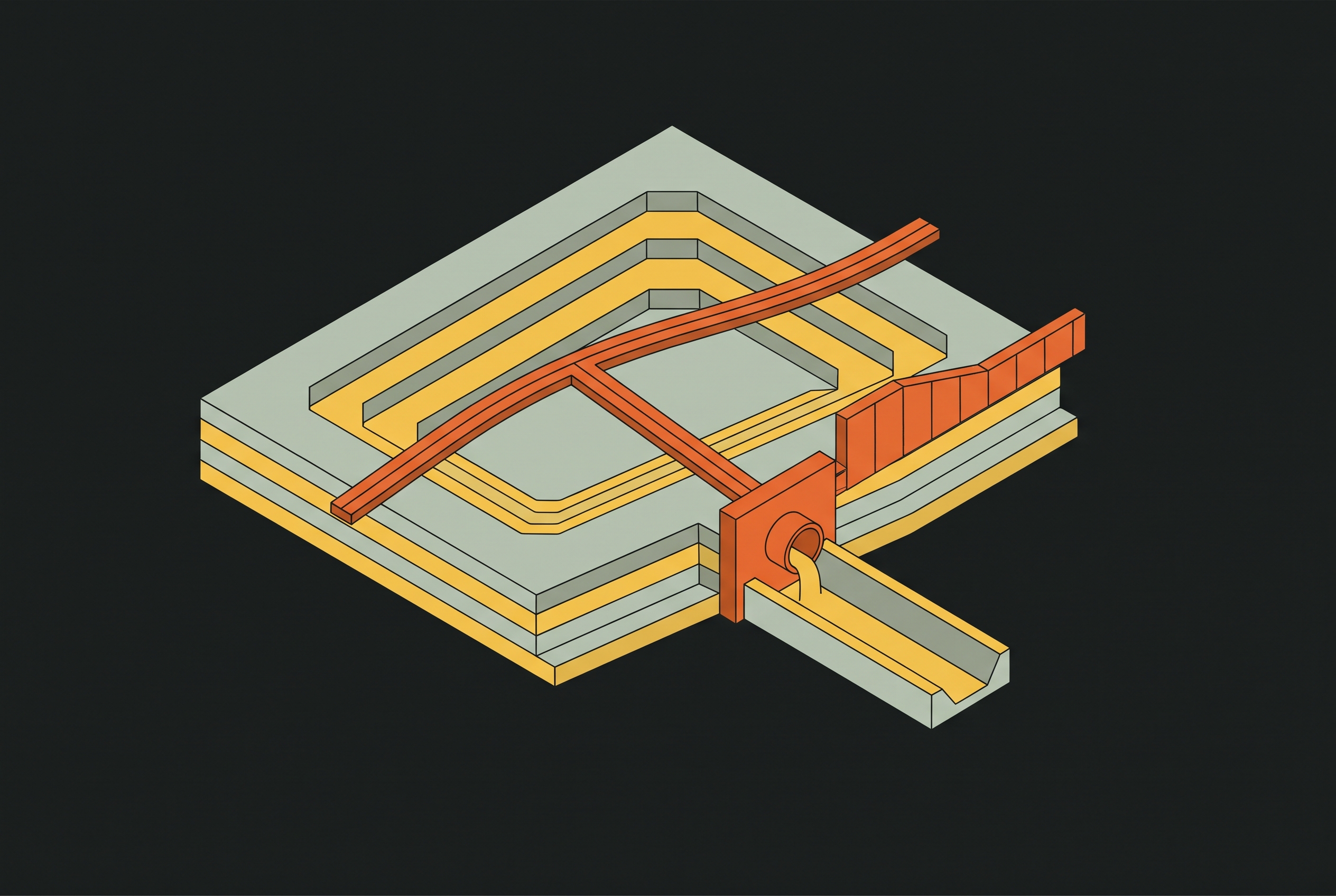
When the horizontal path, pipe geometry, outlet elevation, and analysis describe the same system, design iterations remain controlled rather than becoming costly reconstruction of disconnected objects.
Why outfall geometry is the hydraulic chokepoint of a detention basin
The outfall corridor controls how water is released from the basin. Its alignment and profile are therefore part of the hydraulic design during pond sizing. An incorrect outlet elevation changes the storage available for detention, while errors along the discharge path affect whether the basin can release water as intended. Pond volume alone does not establish performance.
A study of an urban coastal detention basin in Norfolk, Virginia found that, as the area became more urban, peak discharges rose from pre-development 10-year conditions to much higher post-development 100-year levels. Effective storage below the outlet elevation filled up quickly, which limited what the basin could handle hydraulically. Adjusting the outlet elevation to increase effective detention storage improved attenuation and reduced post-development peak discharges toward pre-development levels. That finding gives the outfall profile a clear design role. Its elevations must express the storage and release decisions on which the basin’s hydraulic performance depends.
How Civil 3D structures the outfall design workflow as connected objects, not independent steps
Civil 3D organizes the corridor around connected objects. The alignment defines the horizontal path, and its child profiles inherit the stationing used to locate vertical geometry. The design profile then provides the reference for pipe invert grades. Because grades depend on the alignment, setting them before the alignment is settled leaves the design open to changes that undo that work.
Pipe network structures, ponds, and channels are separate objects, but the links between them join the corridor to the storage model. Civil 3D 2026.2 added a way to connect pipes directly to Pond and Underground Storage objects through the properties dialog while laying out the network. For an open-channel outfall, Alignment and Profile as Channel Baseline supports channel creation from the same centerline used for the pipe corridor. The horizontal reference can therefore remain consistent across the design. These relationships give the workflow its order, although the designer still has to establish the correct references and reconcile elevations between objects.
Drawing and locking the outfall alignment centerline
The outfall alignment typically extends from the pond’s outlet structure to a channel, culvert, or receiving water body. Its route must respect right-of-way, easements, and the graded surface before vertical design begins. Tangent-only geometry is common for these corridors. Curves enter the design where the route must bend around existing infrastructure or follow a drainage easement. A centerline or miscellaneous alignment is appropriate for an outfall pipe or channel and establishes the stationing convention for its profile.
This step can appear simpler than the hydraulic work that follows, which makes it tempting to treat the route as provisional. Profiles and pipe networks built along an unfinished path may need to be rebuilt when the horizontal geometry changes. The practical response is to finalize the alignment and assign its layer and style under the firm’s or agency’s standards before creating those objects. Late renaming or repositioning can introduce stationing conflicts, making early alignment control a high-leverage decision.
Building the existing-ground and design profiles in the profile view
The existing-ground profile is sampled from the surface along the alignment and updates automatically when that surface changes. This gives the vertical design a live reference during basin grading revisions. The design profile serves a different purpose. It is a layout profile built with PVI-based geometry, and for the outfall pipe it represents the invert.
The profile view shows those references in one workspace. Its vertical exaggeration, datum elevation, and grid intervals should be set before the design profile is drawn so that the ground-to-invert relationship remains readable at the scale used for plan production. Display settings help interpretation, but they do not establish acceptable grades. The SCDOT Civil 3D 2026 CADD Manual covers profile labeling for plan production, where live annotations update as the design profile changes. Those annotations support drawing accuracy during iteration, while the profiles themselves establish the geometry that subsequent pipe design will use.
Setting invert grades and controlling minimum cover along the outfall
Each pipe segment must have the minimum slope needed to maintain self-cleansing velocity under the rules for its jurisdiction and pipe material. A line that looks adequately sloped under high vertical exaggeration can be nearly flat at true scale. That judgment must rest on the numerical geometry, since appearance can be misleading. Civil 3D permits either graphical PVI movement or numerical station and elevation entry, but numerical entry is safer for outfalls because small graphical moves can introduce grade errors that become apparent only in pipe network reports.
Cover needs its own check against the surface. The design profile locates the invert, while minimum cover concerns the depth of the crown below finished grade along the full run. Civil 3D does not automatically enforce that requirement. Setting the profile to the pipe centerline instead of the invert also shifts the structure elevation reference by one pipe radius, creating a costly construction error. At the upstream tie-in, the profile invert must match the outlet structure invert specified by the hydraulic design.
Creating the pipe network along the outfall alignment and connecting it to the pond
Building the pipe network turns the corridor geometry already set into pipes and structures. Using the layout profile as the invert reference allows pipe segments to take their start and end inverts from the PVIs already defined. This preserves the intended order of design decisions. Placing pipes independently and then trying to fit a profile to their manually entered elevations reverses that order and creates avoidable reconciliation work.
Structures occupy the ends of the pipe runs, with the pond-end outlet structure set at the elevation determined by the hydraulic design. That structure provides the connection between the pipe network and the Pond object. The benefit is more than fewer property entries. It brings the network into the same connected design workflow as the storage object, rather than leaving the hydraulic connection represented only by coincident numbers.
Defining the outlet structure and tying its elevations to the stage-storage design
Civil 3D Pond objects have a stage-storage curve that shows the stored volume at each water elevation. For a surface-based pond, that curve comes from the graded surface geometry and must be recalculated when pond grading changes. An updated drawing surface does not, by itself, mean the stage-storage calculation has been refreshed.
The outlet structure invert in the Pond object must equal the upstream invert of the outfall pipe’s design profile. This equality is the critical model tie-in. If the values differ, the analysis routes flow through an elevation that does not exist in the pipe network, producing a result that cannot be built as modeled. The outlet inputs thus formalize the decision established by the basin’s storage and release requirements. This closes the hydraulic link introduced at the start, with the outfall geometry expressing the outlet elevation on which effective detention storage depends.
Running drainage analysis to display HGL and EGL in the profile view
Drainage analysis tests how water behaves in the geometry. Displaying the hydraulic grade line, or HGL, and energy grade line, or EGL, in the profile view puts those results against the pipe elevations. HGL above the crown indicates a pressurized condition. If that condition reaches the inlet structure at the pond, it affects the effective storage calculation. The distance between EGL and HGL shows velocity head, while changes through transitions help show where losses occur, such as at the pond-to-pipe connection.
The results can require a return to profile grades or structure elevations. Civil 3D 2026.1 added details for each outfall and the total system to the Drainage System results tab, so outfall performance is shown on its own as well as within network-wide metrics. Civil 3D 2026.2 reduced iteration friction through automated saves, clearer prompts and warnings, and improved results export controls. Civil 3D 2027.1 added known flows, control of tailwater for each event, and stored tailwater elevation curves. Those controls account for receiving-water conditions that an assumed fixed tailwater may miss.
Using the Civil 3D–InfoDrainage integration for pond sizing and outfall refinement
Autodesk’s five-part tutorial series demonstrates the connected workflow for preliminary stormwater design. It begins by exporting the Civil 3D pipe network and catchments into InfoDrainage, then configures rainfall and runoff methods and sizes the storm network. Pond addition and refinement follow that network work. The series also covers review-ready outputs and catchment-property automation for later design revisions, showing how the initial model supports both hydraulic development and subsequent updates.
The return path is essential to that workflow. Changes to pipe sizes and inverts in InfoDrainage can be returned to Civil 3D to update the pipe network without manually re-entering elevations. This removes a handoff at which the hydraulic model and construction drawings can diverge. For outfall refinement, that means a revised hydraulic decision can return to the network geometry instead of remaining isolated in the analysis application. The integration supports iteration through the established object sequence rather than requiring a second model to be rebuilt independently.
How Dynamo and the Autodesk Assistant extend what a single engineer can do in this workflow
Automation works on the object relationships already established. Civil 3D 2026.2 added more than 75 Dynamo nodes for stormwater control objects, including ponds, underground storage, and channels. These nodes support configuration and repetitive editing that would otherwise require individual property entries. Dynamo Core v3.6.1, released with that update, also introduced an overhauled Node Autocomplete with machine learning-powered suggestions, reducing the scripting barrier for engineers who are not Dynamo specialists.
The Autodesk Assistant provides a different form of support. Civil 3D 2027.1 expanded its analysis capabilities to drainage objects, profile and section views, block attributes, and layer properties, allowing natural-language questions about the objects used in this workflow. That capability is not a substitute for establishing the correct invert reference or outlet elevation. For small and mid-size firms, Dynamo scripts that repeat the setup of outlet-property or stage-storage values across scenarios can allow more options to be tested within the same billing period.
Where firms lose time in this workflow and how to avoid it
Late alignment changes create rework at the foundation. When profiles and pipe networks precede a finalized route, a horizontal revision invalidates the geometry developed against its stationing. Finalizing the alignment first avoids that reversal. A less visible failure occurs when the design profile exists but the pipes do not reference it. Manually typed pipe inverts do not update with profile changes, leaving design intent and network geometry to diverge despite their apparent agreement at initial placement.
A Pond outlet elevation that differs from the upstream pipe invert can produce results for an unbuildable connection, with the discrepancy remaining hidden until construction drawing review. Fixed tailwater assumptions can likewise misrepresent receiving-water levels. Event-specific conditions and stored elevation curves therefore belong in the analysis loop. The practical discipline is to preserve the profile-to-network reference, match the outlet elevations, and revisit hydraulic inputs as geometry changes. A completed analysis is evidence of a calculation, leaving open whether the modeled outfall and the construction design are the same system.
Notes
- What’s New in Civil 3D 2026.2: Enhanced Drainage and Collaboration Workflows - AEC Tech Drop
Provided details on Civil 3D 2026.2 features including direct pond/storage object pipe connections and the 75+ new Dynamo nodes for stormwater control objects.
- SCDOT CADD MANUAL CIVIL 3D 2026
Cited for its coverage of profile labeling standards for plan production, where live annotations update as the design profile changes.
- Frontiers
Provided the Norfolk, Virginia urban coastal detention basin study findings on how outlet elevation affects effective storage and peak discharge attenuation.
- What’s New in Civil 3D 2027.1: Autodesk Assistant, Connected References, and Drainage Analysis - AEC Tech Drop
Provided details on Civil 3D 2027.1 additions including known flows, event-specific tailwater control, stored tailwater elevation curves, and expanded Autodesk Assistant capabilities for drainage objects.
- From Civil 3D to preliminary stormwater design: 5 InfoDrainage workflows - One Water Blog
Described Autodesk's five-part tutorial series on the Civil 3D to InfoDrainage workflow for preliminary stormwater design, including pond sizing and the return path for pipe network updates.
Every new piece from Grading Bench, as it's published.
Follow